
C-14-121 Physician/NPP PECOS Verification
👤 RESPONSIBLE POSITION | ROLE
Medical Records Specialist
🎯 PURPOSE
The PROCESS PECOS VERIFICATION task will generate if Non-PECOS Physician or Non-Physician Practitioner (NPP) is selected on a Plan of Care, Verbal Order, or Client Referral. The task generates to workflow for the Medical Records Specialist responsible position.
This task is a showstopper for scheduling; it is important these are processed timely to avoid scheduling delays.
🔄 PROCESS
- Within HCHB Workflow, open the PHYSICIAN PECOS VERIFICATION task.
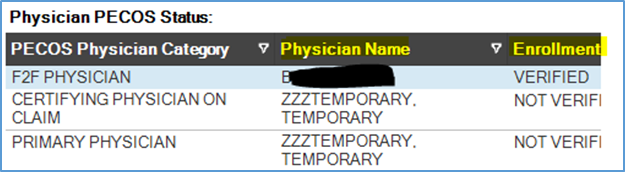
- First, review the names of the physicians to identify which physicians are listed as “NOT VERIFIED” under the Enrollment Status Column.
-
If the physican named “ZZZTemporary” is listed as “NOT VERIFIED” but all other physicians listed have a “VERIFIED” status, no further steps are needed and the task can be stage-completed.
-
HOWEVER: If any physician listed (other than “ZZZTemporary”) has a status other than “VERFIED”, such as “NOT VERIFIED”, continue following this process.

-
-
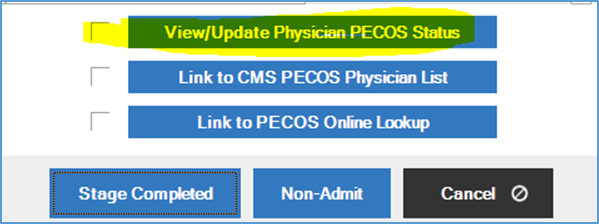
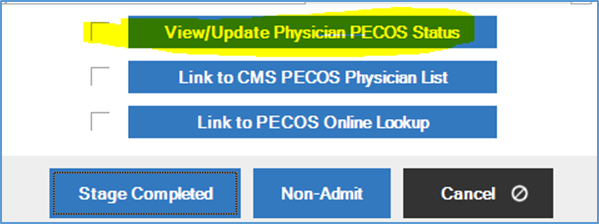
Within the task, select View/Update Physician PECOS Status. A pop-up window will open.
-
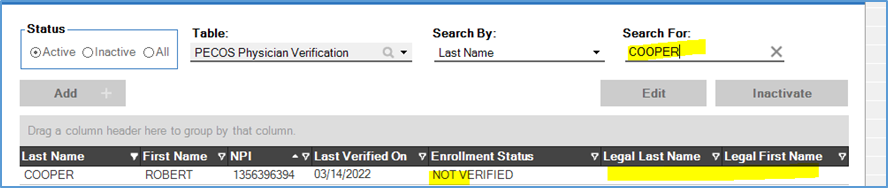
Type the provider's name in search field. Review the Enrollment Status.
-
If there is a status of Legal Name Mismatch, this is likely due to a name change or a typo. Select Set Physician Name to PECOS Legal Name to update the provider in database.

-
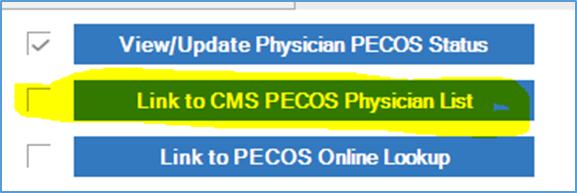
If the Enrollment Status indicates NOT VERIFIED and there is no information listed, use Link to CMS PECOS Physician List to cross reference with CMS PECOS verification website (data.cms.gov). Selecting the link will open the web browser to the website:
-
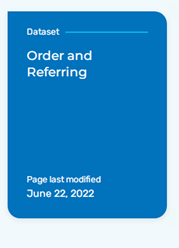
On the CMS website, scroll down and select Order and Referring.
-
Select View Data.

- Enter the physician/NPP's NPI or last name and search. If PECOS is verified for home health agencies, there should be a Y under the HHA column. If this is the case, complete the following:
-
In the HCHB workflow, return to the PECOS Physician Verification window by selecting View/Update Physician PECOS status.
-
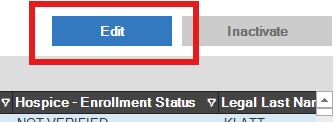
Search for and select the provider. Then click Edit.
- Enter today's date in the Last Verified On field.
-
Change the HHA - Enrollment Status to VERIFIED.
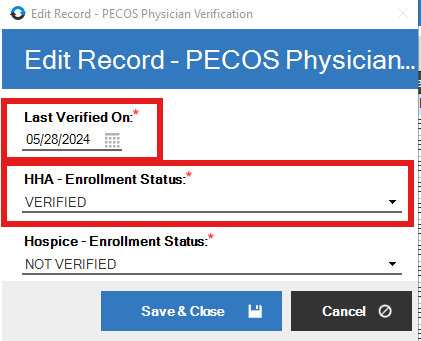
- Click Save & Close.
-
- If the physician/NPP is not PECOS verified (with a N under the HHA column) as in the example below, determine whether the client has an active Medicare or Medicare Advantage payer by completing these following steps:

- In HCHB, navigate to the client Referral.
-
Go to the Payor Information tab.

-
In the lower section of this tab, find the columns Order and Payor Type.
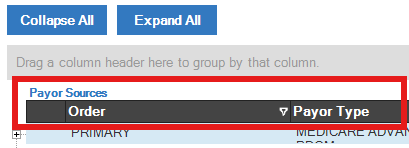
- Under the Payor Type column, if any payer is categorized as either MEDICARE or MEDICARE ADVANTAGE the physician must be PECOS-verified and we cannot use that non-PECOS provider.
-
NOTE: Referencing the Order column, disregard any payer labeled as INFORMATIONAL ONLY. Only payers listed as PRIMARY, SECONDARY, or TERTIARY are impactful.
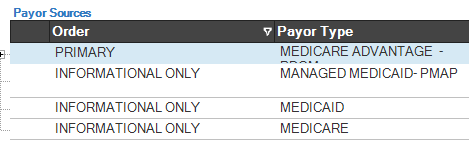
In this example, PECOS is required d/t Medicare Advantage payer.
-
- If the payer listed is “VA-OPTUM CCN – P – EPISODIC”, you may proceed to stage-complete the task, as PECOS verification is not required for this payer.
If the provider is NOT VERIFIED and there is a PRIMARY, SECONDARY or TERTIARY Medicare or Medicare Advantage payer, follow up with the branch Clinical Supervisors and/or Intake team to determine whether there is an alternate provider, who is PECOS-verified, to sign orders. Coordinate with Compliance Manager as needed on next steps and do not select Stage Completed until the situation is resolved or directed to do so.
-
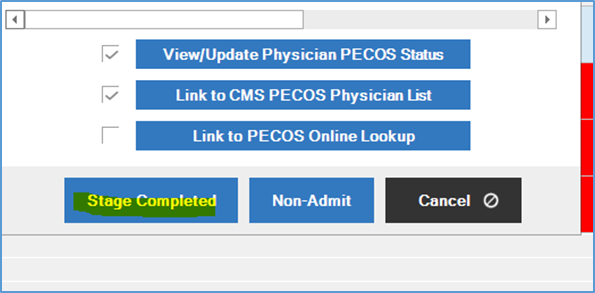
Once all issues are resolved and you are cleared to proceed, stage complete the task by selecting Stage Completed.
-
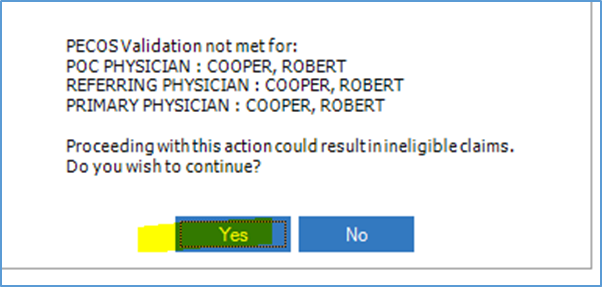
In cases that we are leaving a non-PECOS provider in the chart after following the steps above, a pop-up window like in the example below will open. Select Yes. This will leave the provider as Not Verified.
📅 Effective: 11.04.2024 | 🛠️ Revised: 08.10.2026 | ✅ Approved: JFJ