
C-14-101 Review/Edit/Approve F2F Encounter
👤 RESPONSIBLE POSITION | ROLE
Clinical Compliance Specialist
🎯 PURPOSE
This process outlines the steps the Clinical Compliance Specialist (CCS) will utilize to perform final Face to Face approval while processing Task 4- Review Proposed 485 Edits.
🔄 PROCESS
Note: Start by processing Task 4- Review Proposed 485 Edits first. When F2F is ready to be validated, follow the steps below.
-
In HCHB Workflow, go to the F2F Coordinator Responsible Position:

-
Select Review/Edit/Approve F2F Encounter.

-
Select Coordination Notes.

-
Review the Clinical Comment Intake Note.

-
Select View/Edit/F2F Encounter.

-
Select the F2F Encounter Date, or the Edit F2F Encounter button.

-
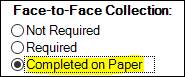
Update to Completed on Paper.
-
Select Patient F2F Attachments to review the F2F Encounter attached in the medical record.
-
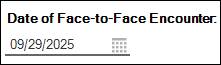
Verify the date.
-
Verify the Provider.

-
Select Save & Close.

-
Select Process F2F Encounter:
- Update the Review Status:
- If F2F has been confirmed as valid with no issues, select REVIEW COMPLETE.
-
If F2F is incomplete, incorrect or requires additional follow up, do not select REVIEW COMPLETE and do not complete this task. Select a different review status and contact clinicalsupport@adarahomehealth.com.

-
Select Save & Close.

-
Select Close to return to the task.

-
Select Approve F2F Encounter.

- Return to Task 4 and complete 485 approval.
📅 Effective: 01.29.2026 | 🛠️ Revised: 10.16.2026 | ✅ Approved: JS